
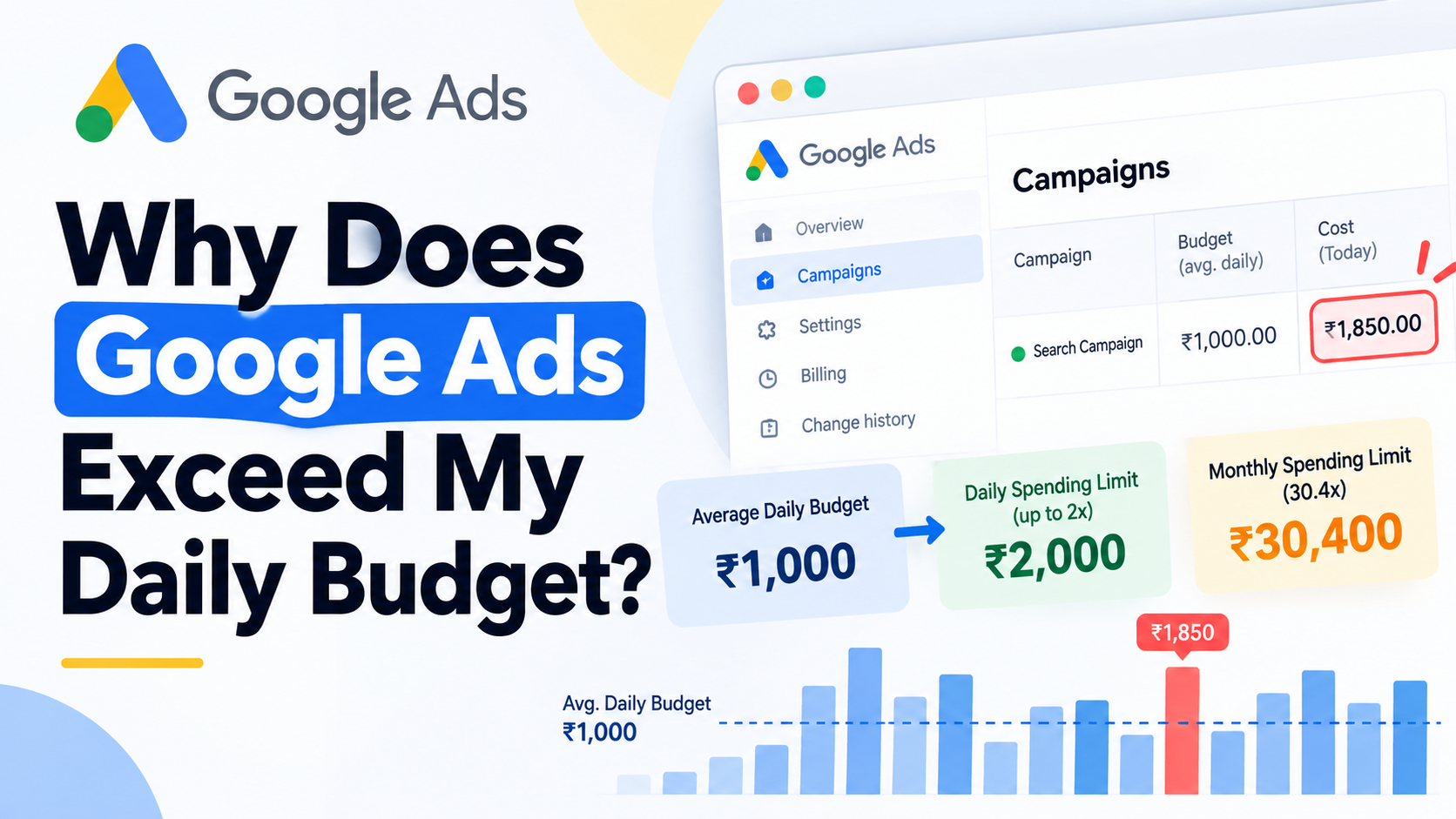
You set a Google Ads campaign budget of ₹1,000 per day. Later, you check the account and see ₹1,450, ₹1,800 or even close to ₹2,000 in cost.
That does not automatically mean Google ignored your budget.
The number you enter in Google Ads is normally an average daily budget, not a hard cap that stops campaign spend as soon as that amount is reached. For most campaigns using an average daily budget, Google can bill up to 2 times the average daily budget on an individual day, while the normal monthly spending limit is 30.4 times the average daily budget.
With a ₹1,000 average daily budget, the basic limits are:
- Average daily budget: ₹1,000
- Normal daily spending limit: up to ₹2,000
- Normal full-month spending limit: ₹30,400
Most confusion starts because advertisers compare today's Cost column with ₹1,000 instead of comparing it with the actual spending limits.
There are also situations where those simple calculations need adjusting. Budget changes during the month, multiple changes on the same day, campaign start dates, ad schedules and the difference between served and billed cost can all change what you should expect.
Why Can Google Ads Spend More Than Your Daily Budget?
Google does not try to spend exactly the same amount every day.
Traffic and advertising opportunities fluctuate. Search demand may be weak on Monday and much stronger on Tuesday. Competition changes. Conversion opportunities change. The bidding system may find more auctions that fit your objective on one day than another.
Google therefore treats the amount in your campaign settings as an average.
For most campaigns:
Daily spending limit = Average daily budget × 2
and:
Monthly spending limit = Average daily budget × 30.4
The 30.4 figure comes from the average number of days in a month across a year.
Suppose your average daily budget is ₹2,000. Spend might look like this:
| Day | Campaign cost |
|---|---|
| Monday | ₹1,400 |
| Tuesday | ₹2,700 |
| Wednesday | ₹3,600 |
| Thursday | ₹1,900 |
Wednesday is well above the ₹2,000 average daily budget, but it remains below the normal ₹4,000 daily spending limit.
So the better question is not simply:
Why did Google spend more than my daily budget?
Ask:
Did Google exceed the spending limit that applies to this campaign and this date?
Those are different questions.
Average Daily Budget, Daily Spending Limit and Monthly Spending Limit Are Different
I would separate these three numbers before diagnosing any apparent overspend.
| Budget term | What it controls | Example with ₹1,000 |
|---|---|---|
| Average daily budget | The amount you want the campaign to spend per day on average | ₹1,000 |
| Daily spending limit | The amount you can normally be billed on one day | ₹2,000 |
| Monthly spending limit | The normal full-month billing limit when the budget remains unchanged | ₹30,400 |
The relationship is:
Average daily budget → budget pacing → daily spending limit → monthly spending limit → billed cost
If you compare only today's Cost column against the average daily budget, you are ignoring how Google actually controls spending.
Why Does Google Spend More on Some Days Than Others?
Daily advertising demand is uneven.
For a Search campaign, spend can change because of:
- search volume
- day of the week
- time of day
- auction competition
- keyword and query mix
- user location and device
- conversion probability
- bid strategy
- your available budget
A ₹1,000 campaign might spend ₹650 one day and ₹1,500 the next. That variation is part of budget pacing.
The system is trying to work within an average spending level over time rather than forcing campaign cost to stop at exactly ₹1,000 every midnight.
Budget and Smart Bidding control different things
This distinction matters when Target CPA or Target ROAS is involved.
Campaign budget: How much spending capacity is available.
Smart Bidding: How bids should be set in individual auctions to work toward your conversion or conversion-value objective.
A Target CPA campaign may participate more aggressively when Google predicts a stronger chance of conversion. A Target ROAS campaign may bid differently when expected conversion value changes.
That does not allow Smart Bidding to ignore the applicable campaign spending limits.
Think of it as:
Budget → spending envelope
Smart Bidding → auction decisions within that envelope
If spend is the problem, inspect budget and pacing. If efficiency is the problem, inspect bidding, traffic quality, conversion rate and business economics. If the reported conversions themselves are unreliable, fix measurement before drawing conclusions from either.
The 2026 Ad Scheduling Change Can Increase Spend on Active Days
This is the budget change I would pay closest attention to if your campaigns do not run every day of the week.
From June 1, 2026, Google changed budget pacing for campaigns using average daily budgets with ad schedules that switch campaigns off on particular days.
The monthly spending potential does not shrink simply because the campaign is scheduled to run fewer days. Google can pace toward the normal monthly limit of:
Average daily budget × 30.4
while concentrating that spend into the days on which the campaign is allowed to serve.
The ads still do not run on days you have excluded. The difference is the amount Google can try to spend during eligible days.
A weekday-only campaign needs a fresh budget calculation
Suppose you want to spend approximately ₹20,000 per month and your ads are active for about 20 days.
The old mental model may have been:
₹1,000 × 20 active days = ₹20,000
That is no longer a safe way to set the campaign's average daily budget.
With a ₹1,000 average daily budget, the full monthly spending potential is:
₹1,000 × 30.4 = ₹30,400
If ₹20,000 is your actual monthly ceiling, a better starting calculation is:
₹20,000 ÷ 30.4 = approximately ₹658 per day
The campaign can then spend more than ₹658 on an individual active day, subject to the applicable daily limit, while pacing toward the intended monthly amount.
Hour-only schedules are a different case
Do not treat every ad schedule as the same issue.
Google's 2026 change specifically concerns schedules that switch campaigns off on particular days of the week. Restricting a campaign to certain hours within an otherwise active day is not the same day-count pacing scenario.
That distinction matters when you are trying to explain why a weekday-only campaign suddenly began spending more aggressively after the pacing change.
Why 15 Active Days and 16 Active Days Produce Different Maximums
There is a useful mathematical crossover when campaigns are only eligible to run on a limited number of days.
This is not a separate budget type. It comes from comparing Google's normal 2× daily limit with the 30.4× monthly limit.
For a campaign active for 15 days or fewer, the maximum possible spend may be constrained by the number of active days:
Average daily budget × 2 × active days
For a campaign active for 16 days or more, the 30.4× monthly limit becomes the lower constraint:
Average daily budget × 30.4
Example: 10 active days
With a ₹1,000 average daily budget:
₹1,000 × 2 × 10 = ₹20,000
The theoretical 30.4× monthly figure is ₹30,400, but the campaign only has ten active days and a normal daily limit of ₹2,000.
Its practical maximum is therefore ₹20,000.
If your real spending ceiling is ₹10,000 across those ten active days:
₹10,000 ÷ 10 ÷ 2 = ₹500 average daily budget
A ₹500 budget gives the campaign up to ₹1,000 of normal billing capacity on each active day, producing a ten-day maximum of ₹10,000.
Example: 16 active days
At ₹1,000 per day:
₹1,000 × 2 × 16 = ₹32,000
But the normal monthly spending limit is only:
₹1,000 × 30.4 = ₹30,400
The monthly limit is therefore the lower constraint.
This tells you what Google may have the capacity to spend. It does not guarantee the campaign will reach that amount. Search demand, inventory, competition, bidding targets and conversion opportunities can all limit actual spend.
Changing the Budget During the Month Changes the Calculation
This is where simple 30.4× calculations often stop working.
If you change an average daily budget during the month, you should not take the new number and multiply it by 30.4 as though that budget had been active since the first day of the month.
Google instead accounts for the amount already spent and the remaining calendar days.
A useful calculation is:
Revised monthly spending limit = amount already spent + (new average daily budget × remaining calendar days)
Suppose:
- Amount already spent: ₹42,000
- Calendar days remaining: 7
- New average daily budget: ₹3,000
The revised limit becomes:
₹42,000 + (₹3,000 × 7) = ₹63,000
Notice that the calculation uses remaining calendar days, not just remaining scheduled advertising days.
If you frequently increase budgets for weekends, sales, launches or promotional periods, budget history becomes part of the explanation for what you are seeing at month end.
Reducing the Budget Later in the Day Does Not Erase a Higher Earlier Limit
Multiple budget changes on the same day have another behaviour that can surprise advertisers.
Suppose a campaign starts the day at ₹1,000.
You increase it to ₹4,000 in the morning, then reduce it to ₹1,500 later in the afternoon.
You might assume the daily spending limit becomes:
₹1,500 × 2 = ₹3,000
For that day, Google uses the highest average daily budget selected during the day when determining the daily spending limit.
The highest budget was ₹4,000, so the normal daily spending limit for that day can be:
₹4,000 × 2 = ₹8,000
From the following day, the ₹1,500 budget would normally correspond to a ₹3,000 daily spending limit.
This is why reducing a budget at 4 PM does not necessarily mean spend must immediately behave as though the higher morning budget never existed.
When spend looks unexplained, Change history and budget history are among the first places I would check.
A Campaign That Starts Mid-Month Does Not Get a Full 30.4-Day Month
A new campaign launched halfway through a calendar month should not be analysed as though it had been active since the first day.
Google takes the campaign's start date into account. For a newly created campaign partway through the month, budget pacing reflects the calendar days remaining in that month.
This matters when an advertiser launches a campaign on the 20th and then compares its first-month cost against a full-month 30.4× calculation.
The next complete calendar month provides a cleaner full-month comparison if the average daily budget remains unchanged.
Served Cost and Billed Cost Can Be Different
Another source of confusion is assuming that every amount shown as campaign cost must become the amount billed.
Google distinguishes between served cost and billed cost.
Served cost represents the cost associated with the advertising activity delivered.
Billed cost is the amount you are responsible for paying after applicable billing adjustments.
In rare circumstances, served cost can exceed an applicable spending limit.
Suppose:
- Average daily budget: ₹1,000
- Normal daily spending limit: ₹2,000
- Served cost shown: ₹2,180
Seeing ₹2,180 does not by itself prove you were billed above Google's spending limit.
Reconcile the billed amount and any applicable adjustments before concluding that the budget control failed.
Served cost and billed cost are related, but they are not always identical.
Do Not Confuse a Campaign Spending Limit With an Account-Level Daily Spending Limit
Google can also apply an account-level daily spending limit to some Google Ads accounts, including certain new accounts or accounts where Google has identified payment or security-related conditions.
This is different from the 2× campaign-level daily spending limit.
An account-level limit applies across active campaigns in the account and can override the spending capacity implied by their individual campaign budgets.
If such a limit applies, Google displays a notification in the account.
So there can be two separate concepts:
- Campaign daily spending limit: normally calculated from the campaign's average daily budget.
- Account daily spending limit: an account-level restriction Google may separately apply.
This distinction is particularly useful when several campaigns unexpectedly stop serving even though individual campaign budgets still appear available.
How to Check Whether Google Ads Has Actually Overspent
When I see an apparently excessive spend day, I would not immediately cut the budget. First I would identify which rule explains the number.
-
Confirm the average daily budget that applied.
Do not rely only on the number visible today if the campaign's budget changed during the period.
-
Calculate the normal daily spending limit.
For most average-daily-budget campaigns, start with average daily budget × 2.
-
Review Change history.
Look for budget increases, decreases and especially multiple changes on the same day.
-
Check the campaign start date.
A mid-month launch changes the first month's pacing calculation.
-
Review the ad schedule.
If campaigns are disabled on specific days of the week, account for Google's 2026 scheduling behaviour rather than multiplying the budget by the number of active days.
-
Work out which maximum applies to reduced-day schedules.
For 15 active days or fewer, compare against budget × 2 × active days. From 16 active days onward, the 30.4× monthly limit normally becomes the lower ceiling.
-
Compare served cost with billed cost.
Do not assume every displayed served-cost amount will become the final amount charged.
-
Check the Budget Report where available.
The Budget Report can help explain projected monthly spend, budget changes and spending limits for supported campaigns.
-
Separate the budget problem from the bidding problem.
Target CPA and Target ROAS affect auction decisions. They do not transform your average daily budget into a strict daily cap.
-
Validate conversion measurement before judging aggressive spend.
If Google is bidding toward duplicate purchases, inaccurate values or weak conversion actions, changing the budget may hide the symptom without correcting the signal.
For eCommerce campaigns, I would also check whether Google Ads purchase values reconcile with the store's actual orders before making major bidding or budget decisions. See my eCommerce measurement and conversion tracking approach for the relationship between Google Ads, GA4, GTM and purchase data.
The Google Ads Budget Report Has a Performance Max Limitation
Google's Budget Report can be useful when you are trying to understand monthly pacing because it can show budget history, spend limits and projections for campaigns using average daily budgets.
There is one limitation worth knowing before you go looking for it.
As of September 2026, Google states that Performance Max campaigns are not compatible with the Budget Report.
For Performance Max, use the other campaign, billing and change-history views available in the account rather than assuming the Budget Report should be present.
What If You Need a Strict Budget for a Fixed Promotion?
An average daily budget is designed to allow spending to move between days. That may not be what you want for a campaign with a fixed total amount.
Google also offers campaign total budgets for eligible new campaigns.
Instead of saying:
Spend approximately ₹5,000 per day.
you can tell Google:
Spend up to ₹50,000 during this campaign period.
For example:
- Campaign duration: 10 days
- Campaign total budget: ₹50,000
Google can distribute that ₹50,000 unevenly across the campaign period as traffic and opportunities change, but the total budget acts as the overall billing cap.
Unlike average daily budget campaigns, campaign total budgets do not use the normal 2× daily spending limit. Daily spend has more flexibility because pacing is controlled against the total campaign amount.
Campaign total budgets are currently available for new campaigns across several campaign types, including Search, Shopping and Performance Max. For those campaign types, Google supports time-bound campaigns from 3 to 90 days.
There is an important restriction: you cannot simply convert an existing average-daily-budget campaign into a campaign-total-budget campaign. The budget type is selected when the new campaign is created.
This option can make sense for:
- festival promotions
- flash sales
- seasonal campaigns
- product launches
- fixed-duration events
- campaigns with a firm total media allocation
If the total amount matters more than having a consistent daily amount, choose the budget architecture before launching the campaign rather than trying to force an existing daily-budget campaign to behave like a flighted budget.
Should You Reduce Your Budget When Google Spends Nearly 2x in One Day?
Not automatically.
Imagine a campaign with a ₹5,000 average daily budget spends ₹9,000 today.
The number feels high, but the first calculation is:
₹5,000 × 2 = ₹10,000 normal daily spending limit
₹9,000 is therefore not automatically a budgeting error.
Before changing anything, I would ask:
- Was ₹5,000 really the applicable average daily budget for the whole day?
- Was a higher budget selected earlier in the day?
- Has the budget changed this month?
- Is an ad schedule concentrating spend into fewer active days?
- What is the month-to-date billed spend?
- Is the campaign using Target CPA or Target ROAS?
- Are the conversions and conversion values trustworthy?
- Does the resulting CPA, ROAS or margin still make commercial sense?
A budget should usually be changed because the expected total spend or business economics require a change, not simply because one day's cost is above the displayed average.
If the campaign is bidding from unreliable purchase or lead data, lowering the budget does not correct the underlying measurement problem.
A ₹3,000 Daily Budget Does Not Mean ₹3,000 Every Day
Consider a Search campaign with:
- Average daily budget: ₹3,000
- Target CPA: ₹1,500
- No budget changes during the month
- Campaign active throughout the month
Its normal limits are:
Daily spending limit: ₹3,000 × 2 = ₹6,000
Monthly spending limit: ₹3,000 × 30.4 = ₹91,200
The first five days could look like this:
| Day | Spend | Above ₹3,000 average? | Above ₹6,000 daily limit? |
|---|---|---|---|
| Monday | ₹2,050 | No | No |
| Tuesday | ₹4,400 | Yes | No |
| Wednesday | ₹5,100 | Yes | No |
| Thursday | ₹2,600 | No | No |
| Friday | ₹3,300 | Yes | No |
Three days exceeded the average daily budget.
None exceeded the normal daily spending limit.
The next question is whether the campaign's monthly pacing and conversion economics remain acceptable. That is more useful than expecting the Cost column to stop at ₹3,000 every night.
Target CPA and Target ROAS Do Not Replace Budget Control
Target CPA and Target ROAS are sometimes treated as though they are spending controls. They are not.
The relationship is:
Campaign budget → spending capacity
Target CPA → acquisition-cost objective
Target ROAS → conversion-value efficiency objective
Conversion tracking → feedback Smart Bidding receives about outcomes
Changing the wrong one can create the wrong response.
If monthly spend is above the amount the business can afford, investigate the budget and pacing.
If spend is acceptable but CPA is too high, investigate traffic quality, conversion rate, bidding targets and campaign economics.
If ROAS looks good but the purchase revenue being sent to Google Ads is wrong, investigate measurement.
If spend, bidding and conversion reporting all appear inconsistent, the account needs diagnosis across those systems rather than another isolated budget adjustment.
How to Set a Google Ads Daily Budget From a Monthly Amount
If the business works with a monthly media budget, I normally prefer working backward from that amount.
Suppose your monthly Google Ads allocation is ₹1,52,000.
For a normal full-month campaign using an unchanged average daily budget:
₹1,52,000 ÷ 30.4 = ₹5,000 average daily budget
That produces:
- Average daily budget: ₹5,000
- Normal daily spending limit: up to ₹10,000
- Normal monthly spending limit: ₹1,52,000
The campaign will not necessarily spend ₹5,000 each day.
Some days may be lower and some may approach ₹10,000. What matters for budgeting is the relevant spending limit and the month-to-date pacing.
For campaigns that are switched off on particular days of the week, do not calculate the daily budget by simply dividing the monthly amount by the number of active days. The 2026 ad-scheduling rules can concentrate spend into active days while the system still paces toward the monthly limit.
When Does Apparent Google Ads Overspending Need an Audit?
Normal daily variation does not require an audit.
If a ₹1,000 campaign spends ₹1,600 on one day and the surrounding budget rules explain it, that is ordinary pacing behaviour.
A deeper investigation makes sense when you cannot reconcile spend after checking the rules, particularly when:
- budgets have changed repeatedly
- several people are making account changes
- multiple campaigns use shared budgeting arrangements
- campaigns are disabled on selected days
- Target CPA or Target ROAS campaigns are limited by budget
- conversion values do not match real order values
- served cost and billed cost are being treated as the same number
- monthly spend repeatedly differs from internal forecasts
- Performance Max spending is difficult to explain
- nobody can connect budget changes with the resulting account behaviour
The objective should not be to force Google to spend exactly the same amount every day.
The objective is to make sure budget, bidding, conversion measurement and business economics agree with each other.
If they do not, my Google Ads audit looks at the account evidence together rather than treating budget, bidding and tracking as unrelated settings.
Frequently Asked Questions
Can Google Ads spend twice my daily budget?
For most campaigns using an average daily budget, yes. The normal daily spending limit can be up to two times the average daily budget. The daily budget shown in campaign settings is an average rather than a strict one-day cap.
If my daily budget is ₹1,000, can Google charge ₹2,000?
For most campaigns, the normal daily spending limit can be ₹2,000. If the campaign runs for the full month and the budget remains unchanged, its normal monthly spending limit is ₹30,400.
Can Google Ads spend more after I reduced the budget?
It can appear that way when a higher average daily budget was selected earlier on the same day. Google's daily spending limit for that day is normally based on the highest average daily budget selected during that day.
Can Google Ads exceed the 2x daily spending limit?
Served cost may exceed an applicable spending limit in rare situations. That does not automatically mean you are billed for the full served amount. Check billed cost and account adjustments before deciding that Google exceeded its billing limit.
Does Target CPA stop Google Ads from spending more than my average daily budget?
No. Target CPA controls the acquisition-cost objective used by Smart Bidding. It does not convert the average daily budget into a fixed daily spending cap.
Does Target ROAS control my daily Google Ads budget?
No. Target ROAS tells Smart Bidding what conversion-value efficiency to work toward. Campaign budgets determine the available spending capacity.
How much can Google Ads spend in one month?
For most campaigns that use the same average daily budget throughout a full month, the normal monthly spending limit is the average daily budget multiplied by 30.4. Campaign start dates and mid-month budget changes can alter the calculation.
Why is my weekday-only Google Ads campaign spending more in 2026?
Google changed budget pacing for campaigns using day-of-week ad schedules from June 1, 2026. Eligible campaigns can now pace toward their full monthly spending potential even when they are switched off on certain days, which can concentrate more spend into the active days.
Can I set one fixed budget for an entire Google Ads campaign?
For eligible new campaigns, Google supports campaign total budgets. Instead of setting an average daily amount, you set the total amount available for the campaign period. Existing average-daily-budget campaigns cannot simply be converted to the total-budget type.
Is the Google Ads Budget Report available for Performance Max?
As of September 2026, Google states that Performance Max campaigns are not compatible with the Budget Report. Use campaign reporting, billing information and Change history when investigating Performance Max spending.