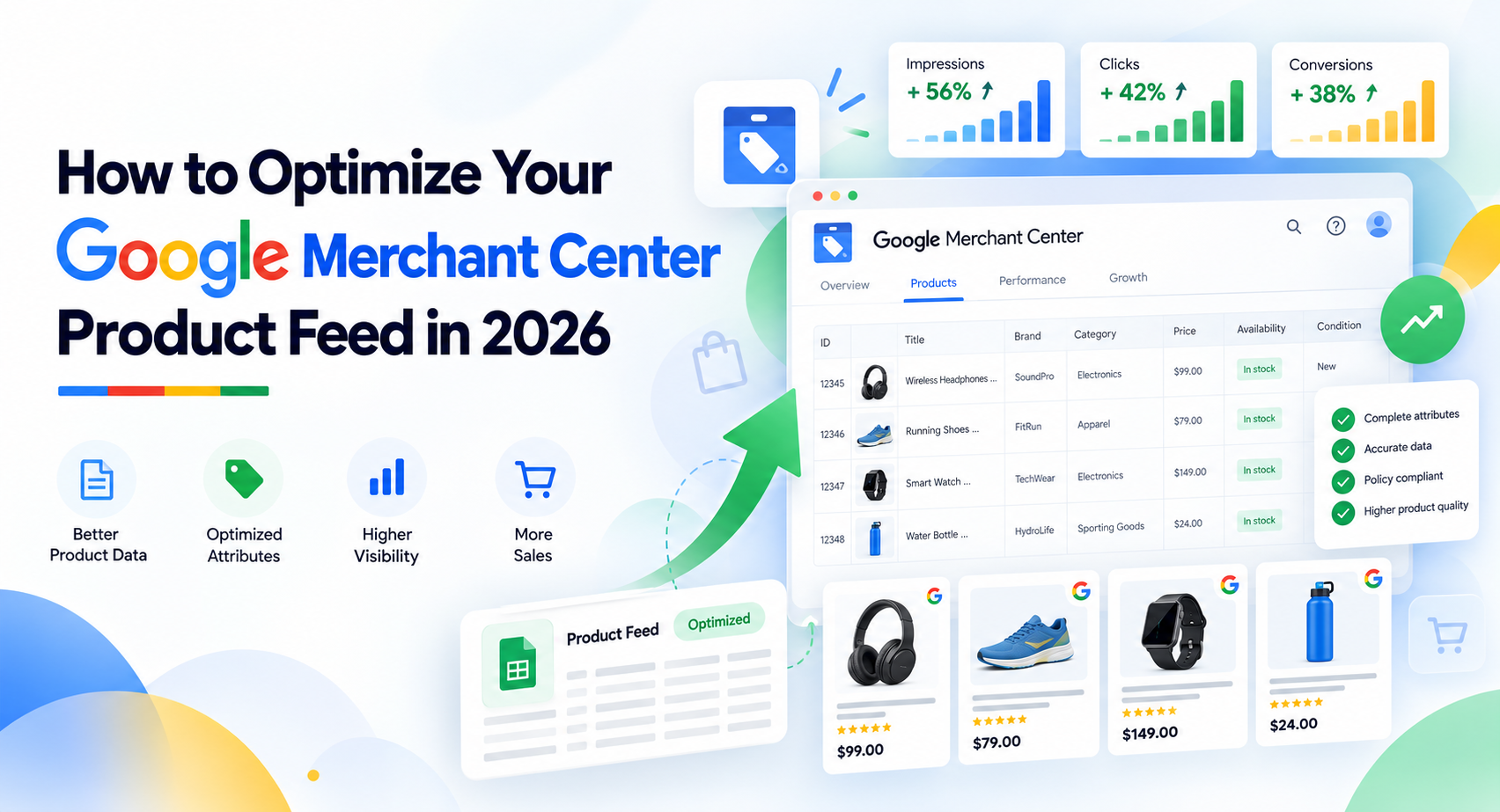
Google Merchant Center feed optimization means improving product data in the right order. Protect product eligibility and catalogue truth first, improve how clearly Google understands each product second, then add commercial segmentation and optional enrichment. Rewriting titles before fixing incorrect identifiers, prices, availability or variants puts cosmetic work ahead of the data that defines the actual offer.
Your product data can support Google Shopping, retail Performance Max and free listings, but the feed should remain an accurate representation of what customers can actually buy. A useful optimization process therefore starts with product truth, moves to relevance, and only then adds fields that help reporting, campaign decisions or newer shopping experiences.
This guide focuses on that dependency order. It covers product identity, titles, descriptions, categorization, variants, media, offer synchronization, custom labels, Attribute rules, supplemental data sources, measurement and the Merchant Center product-data changes that matter in 2026. Broader campaign decisions belong in an eCommerce Google Ads strategy, rather than being mixed into the feed itself.
Feed Optimization Has Three Jobs: Eligibility, Relevance and Commercial Control
Google Merchant Center feed optimization improves three different things: whether a product can participate, how clearly Google understands and matches it, and how effectively you can organize products for business decisions. Those jobs are related, but they should not be treated as the same problem.
| Job | What It Solves | Example Fields | Failure Symptom |
|---|---|---|---|
| Eligibility | Whether Google can use the submitted offer in an applicable destination | ID, GTIN, brand, MPN, price, availability, link, image | Disapproval, warning, limited eligibility or missing offer |
| Relevance | How accurately Google can understand the product and relate it to shopper intent | Title, description, product type, category, color, size, material, product details | Weak or overly broad matching, poor query relevance or unclear product identity |
| Commercial control | How products can be segmented for reporting and downstream campaign decisions | Custom labels, product type, business classifications | Products are technically usable but difficult to group by margin, stock, lifecycle or strategic priority |
The sequence matters. A highly descriptive title does not repair an incorrect GTIN. A sophisticated custom-label structure cannot compensate for a price that repeatedly disagrees with the landing page. Richer media does not solve a variant record that points to the wrong purchasable option.
Why More Fields and More Keywords Are Not the Goal
A product feed should be treated as a structured record of product facts, not a container that becomes better each time another phrase is added. An attribute is useful when it improves product identity, adds relevant product understanding or supports a real business decision.
Suppose a title contains several search phrases but describes a black cotton shirt while the submitted color is blue and the image shows the blue variant. The record contains plenty of text, but its structured facts disagree. Improving feed quality means resolving that inconsistency rather than finding more phrases to insert into the title.
The same principle applies to optional attributes. Completing a field solely because it exists can create maintenance work without improving the product record. Add information when it communicates a fact Google or the advertiser can actually use.
How Product Data Moves From Your Catalogue to Google
Your ecommerce catalogue is normally the starting point for product truth. A product data source sends those facts into Google Merchant Center, where the resulting product data can be used across applicable Shopping ads, retail Performance Max campaigns and free listings.
The chain is only as reliable as the data passed through it. Product identity, price, availability, variant state and other offer details should remain consistent between the source catalogue, Merchant Center record, landing page and relevant structured data.
This source-to-destination model becomes useful later when deciding where to fix a problem. A recurring wrong product fact normally belongs upstream. An advertising-specific enrichment may belong closer to Merchant Center.
Fix the Products That Matter Before Rewriting the Products That Already Work
Start with commercially important products that have blocking eligibility, identity, price, availability or variant problems. Do not begin by rewriting every title simply because title optimization is easier to see.
- Find blocking or limiting product issues. Identify products that cannot participate correctly or have warnings affecting important product data.
- Prioritize commercially important products. Consider revenue contribution, margin band, inventory depth, strategic importance and seasonality rather than issue count alone.
- Check identity. Confirm IDs, assigned identifiers and variant relationships before editing relevance copy.
- Check offer accuracy. Price, availability, condition and landing-page state should describe the same live offer.
- Check variants. Each purchasable option should carry the correct variant data rather than inheriting inaccurate parent-level information.
- Then improve relevance. Titles, descriptions, categorization and structured product details become useful once the product record is fundamentally trustworthy.
- Add commercial segmentation after the core data is stable. Custom labels and related fields should support an actual reporting or campaign decision.
Use Needs Attention to Find Problems, Then Prioritize by Business Impact
Needs attention is the current Merchant Center area for finding product issues. Older documentation may refer to the previous name, Diagnostics, but the current terminology is Needs attention.
Use it for issue discovery, not as an automatic priority queue. A catalogue could contain hundreds of minor warnings on low-volume products while a small group of best-selling products has one blocking problem each. Fixing the largest issue count first could consume time without addressing the most commercially important loss of eligibility.
A useful priority model combines severity with business importance. A blocked bestseller with deep inventory may deserve attention before a non-blocking warning on a product that rarely sells.
If the problem has already moved beyond prioritization into detailed approval or visibility troubleshooting, use the separate guide explaining why Google Shopping products are not showing. That article owns the deeper troubleshooting process.
Get Product Identity Right Before You Improve Product Copy
Use stable product IDs and submit the manufacturer-assigned GTIN, brand and MPN when those identifiers genuinely exist for the exact product or variant. Never invent, guess or borrow a product identifier to make a record look complete.
Identity data helps distinguish the exact item being sold. If a manufactured product has an assigned GTIN, the submitted GTIN should correspond to that product. If different variants have their own assigned GTINs, each variant should carry the correct identifier for that specific offer.
Your Merchant Center product ID also deserves stability. Avoid casually changing IDs for the same continuing offer because IDs are part of how product records are maintained and evaluated over time.
When GTIN, Brand and MPN Apply
Not every product has the same identifier requirements. Manufactured products commonly have unique product identifiers assigned by their manufacturer, while custom, handmade, vintage or one-of-a-kind products may genuinely lack them.
If a product has a manufacturer-assigned GTIN, submit the correct GTIN rather than creating another number. Brand and MPN should also represent the actual manufactured product where those values apply.
Consider a hypothetical electronics product sold in several storage capacities. If each capacity has a separate GTIN, using the parent product's identifier across all variants would weaken the accuracy of the records. Each purchasable variant should identify itself correctly.
What to Do When a Product Genuinely Has No Assigned Identifier
The identifier_exists attribute is used when applicable unique product identifiers genuinely do not exist for the product. It should not be used simply because obtaining the real manufacturer information is inconvenient.
A custom handmade item may legitimately have no GTIN or MPN. In that situation, represent the absence according to Merchant Center's identifier rules rather than fabricating a value.
This distinction is important because "missing identifier" and "product has no assigned identifier" are not the same condition. Feed optimization should communicate the actual identity state of the product.
Write Titles and Descriptions Around Product Identity, Not a Universal Formula
Optimize Merchant Center titles and descriptions around the attributes shoppers use to identify that type of product. Put the most distinctive and useful product information early, keep the wording accurate, and use dedicated structured attributes for facts such as color, size and material instead of trying to force every detail into the title.
The 150-character title limit should be treated as a maximum, not a target. A title does not become better because it reaches the limit, and there is no useful universal rule that every product title should have the same word order or ideal length.
Build Title Logic by Product Category
Start by asking which attributes actually distinguish products within the category. A useful title architecture for apparel will differ from one for electronics, furniture or automotive parts because shoppers use different product facts to identify those products.
| Category | Useful Early Attributes | Other Useful Attributes | What to Avoid |
|---|---|---|---|
| Apparel | Brand, product type, gender or audience where relevant | Color, material, style, size where the variant context needs it | Repeating vague fashion phrases or stuffing multiple near-identical search terms |
| Electronics | Brand, model, product type | Storage, capacity, screen size, connectivity or other model-defining specifications | Hiding the exact model behind generic promotional language |
| Furniture | Product type, material, defining style or size | Finish, dimensions, seating capacity or configuration | Leading with generic claims that do not identify the item |
| Automotive parts | Part type, brand or manufacturer, compatibility-defining information | Part number, model or fitment details where applicable | Making unsupported compatibility claims or burying the actual part identity |
The pattern is category logic rather than a rigid formula. An electronics title may need the model near the beginning because it defines the product. An apparel title may rely more heavily on product type, audience, material, color or style.
Use natural product language and accurate identifying details. Repeating the same phrase in several forms does not create additional product truth.
Descriptions Should Add Product Meaning, Not Repeat the Title
The description should add relevant product facts and distinguishing information that help explain the item beyond the title. Put useful information early and keep the text consistent with the landing page.
Descriptions should not become substitutes for structured fields. If Merchant Center provides a dedicated color, size, material, product detail or other applicable attribute, submit the fact there rather than expecting Google to reconstruct the whole product record from prose.
This creates a cleaner relationship: the title identifies the product concisely, the description adds useful context, and structured attributes provide machine-readable facts. Those layers can support each other without containing identical information.
AI-Generated Product Text Has Its Own Submission Rules
Merchant Center distinguishes generative-AI-created product text from ordinary merchant-written title and description fields. If a title is created using generative AI, Google's current specification requires the structured_title form with the appropriate digital_source_type, including trained_algorithmic_media. AI-generated descriptions use the corresponding structured_description structure.
The rule is about product-data provenance and submission structure. It does not mean AI-generated wording is inherently more relevant or more likely to perform well.
AI can assist with drafting at catalogue scale, but the resulting text still needs accurate product facts, appropriate category logic and consistency with the product being sold. A generated description that invents a material, compatibility detail or feature creates a product-data problem rather than solving one.
Google Product Category and product_type Solve Different Problems
Google product category maps the offer to Google's defined product taxonomy. product_type represents the merchant's own product hierarchy. They can complement each other, but they are not interchangeable fields that must contain identical paths.
| Dimension | Google Product Category | product_type |
|---|---|---|
| Who defines it | The merchant | |
| Can Google assign it | Yes, Google automatically categorizes products | No, it represents the merchant-defined hierarchy you submit |
| Merchant control | You can submit an applicable Google taxonomy category to override automatic categorization in supported cases | You define the hierarchy according to your own catalogue structure |
| Primary use | Google taxonomy and applicable category handling | Merchant-specific organization and Shopping reporting or grouping |
| Reporting value | Useful where Google category grouping is applicable | Useful for reporting around your own catalogue structure |
For example, a merchant may use a Google-defined category corresponding to dresses while maintaining a product_type hierarchy such as Women > Dresses > Occasion Dresses > Maxi Dresses. The first communicates Google's taxonomy. The second preserves the merchant's own business hierarchy.
Do not manually force Google product category merely to duplicate product_type. Check whether Google's automatic categorization is correct and use an override where the product genuinely needs it.
Treat Every Purchasable Variant as a Real Offer, Not a Parent-Product Shortcut
Each purchasable variant should carry the correct variant-specific identifiers, attributes, media, price, availability and landing-page state. Related variants can be grouped, but grouping should not erase the differences between the individual offers.
Use item_group_id to associate related variants. Current Merchant Center product data also supports item_group_title for the common product-group title and variant_option for variant-identifying properties, alongside established attributes such as color, size, material, pattern, age group or gender when applicable.
A practical variant check should confirm:
- The related variants use the appropriate item_group_id.
- The group-level title is consistent where item_group_title is used.
- Variant-identifying attributes describe the actual option.
- Each variant uses its own assigned GTIN where applicable.
- The image represents the submitted variant where the visual difference matters.
- The submitted price is the price of that exact offer.
- The availability describes that exact variant.
- The landing page opens with or clearly represents the same purchasable state.
The Feed Record, Image and Landing Page Must Represent the Same Variant
Suppose an apparel product is available as blue medium and black large. If the feed record says blue medium but the primary image shows black, the landing page preselects black large and the price belongs to another option, the record is internally inconsistent even though every individual field contains a value.
The correction is to make the product record describe one coherent purchasable offer. Variant identity, image, price, availability and landing-page state should refer to that same offer.
This article stops at Merchant Center variant data. Canonicals, indexation, variant URL architecture and related organic-search questions belong in the separate guide to eCommerce product variants SEO.
Images and Video Should Reduce Product Uncertainty, Not Just Fill Media Fields
Use accurate, high-quality media that represents the actual product or variant. Media should reduce uncertainty about appearance, fit, function, configuration or use rather than being added only because Merchant Center offers another media field.
The primary image submitted through image_link should clearly represent the product. Additional images can show useful alternate views or details, while lifestyle images can provide appropriate contextual presentation where applicable.
Prepare for the January 31, 2027 Image Requirement Now
Google announced an updated minimum image resolution of 500 x 500 pixels across product categories and marketing methods, with enforcement beginning on January 31, 2027. Merchant Center began issuing warnings for affected images in 2026, so October 2026 should be treated as a preparation period rather than incorrectly claiming the future minimum is already universally enforced.
If your source library still contains small images, improve the original media rather than relying on scaled thumbnails. Higher-quality source assets also make it easier to keep variant images accurate and maintain a consistent product record.
For catalogues with thousands of SKUs, use the warning data to identify affected products and combine that information with commercial priority. A low-resolution image on an important product should be addressed before the enforcement date rather than being left as a future migration problem.
Use video_link Where Motion or Demonstration Adds Real Product Information
The optional video_link attribute became eligible to serve from June 30, 2026 after being introduced in the 2026 product-data specification update. Product video can be useful when motion or demonstration communicates something static images do not show clearly.
Examples include furniture assembly, appliance operation, product movement, mechanism demonstration or how an apparel item drapes when worn. A simple product that is already fully understandable from images may not gain meaningful information from a video.
Video is therefore an enrichment decision, not a completion target. Add it when it improves product understanding.
Price and Availability Need a Reliable Sync, Not a Permanent Correction Layer
Price, availability and condition should remain synchronized across the ecommerce catalogue, submitted product data, landing page and applicable structured data. Merchant Center Automations can help protect against selected mismatches, but they should not become the architecture that permanently repairs an unreliable source system.
Consider a hypothetical product submitted at ₹2,499 while the landing page consistently shows ₹2,999. If Merchant Center repeatedly has to correct the submitted information using website data, the correction is useful protection, but the recurring mismatch points to an upstream integration or catalogue problem.
The stronger fix is to determine why the submitted product source is stale and repair that synchronization. Downstream correction should not make wrong source data acceptable.
Use Automations as Protection, Not as Your Source of Truth
Merchant Center Automations can automatically update selected product information such as price, availability and condition using website information. Google updated the Automations experience in September 2025, replacing the older presentation with a centralized interface for managing available product-data optimizations.
That does not mean every mismatch is automatically corrected or that source-feed maintenance becomes unnecessary. If the same products are repeatedly corrected, investigate the source catalogue, ecommerce integration, update frequency or transformation layer producing the wrong values.
A useful operating rule is simple: occasional downstream protection can reduce the impact of a temporary mismatch; repeated correction is evidence that the upstream data flow needs attention.
Use sale_price_effective_date When Promotions Have a Defined Window
When a sale has a defined start and end period, sale_price and sale_price_effective_date should work together. The sale-price attribute communicates the promotional price, while the effective-date attribute communicates when that price should apply.
For a hypothetical five-day promotion, the product source should continue to carry the correct base price while the sale price and its date range represent the temporary offer. The landing page should show the same live promotional state during that period.
This keeps the offer synchronized instead of leaving an expired sale price active in one system after the promotion ends elsewhere.
Custom Labels Should Encode a Decision, Not Repeat Your Catalogue
Google Merchant Center provides custom_label_0 through custom_label_4 for merchant-defined classifications that can be used downstream for product grouping, reporting and bidding in supported campaign types. The useful question is not what values you can store. It is which decision the label will change.
Brand and product category already have their own data. Repeating them in custom labels without a reporting or campaign reason creates another field to maintain without adding commercial control.
| Label Type | Example Class | Decision Supported | What Not to Store |
|---|---|---|---|
| Margin | Low, medium, high margin band | Compare or group products by economic flexibility | Private exact unit margin where a broad band is sufficient |
| Inventory | Low stock, healthy stock, deep stock | Separate products by inventory depth or sell-through risk | A duplicate of the basic availability field |
| Lifecycle | New, core, mature, clearance | Report or act differently by product lifecycle | Values that never change a downstream decision |
| Season | Wedding, winter, summer, festive | Group products according to relevant commercial periods | Every possible descriptive tag attached to the product |
| Performance tier | Emerging, stable, high performer, review | Support product-level analysis and grouping | A permanent label that is never refreshed as performance changes |
Each custom-label field should have one clear definition. If custom_label_0 represents margin band, do not sometimes use it for season and sometimes for lifecycle. A stable taxonomy makes the data usable across reporting periods.
The labels become useful when product segmentation needs to affect downstream Google Shopping Ads management. Campaign structure, bidding and broader Shopping optimization belong there rather than inside this feed guide.
Fix Catalogue Truth at the Source; Use Merchant Center Layers for Controlled Enrichment
Fix recurring product truth in the source catalogue or integration. Use Attribute rules for repeatable Merchant Center transformations, and use a supplemental data source for selected enrichment or controlled overrides that logically belong closer to Merchant Center.
The fastest place to patch a value is not always the right long-term place to own it. Every extra transformation layer increases the number of places a future auditor must inspect to understand why Merchant Center contains a particular value.
| Situation | Source Catalogue | Attribute Rules | Supplemental Data Source |
|---|---|---|---|
| Wrong recurring product fact | Preferred location to correct the underlying truth | Do not use as a permanent disguise for bad source data | Do not build an undocumented long-term repair layer |
| Repeatable transformation | Possible if the transformation should apply across channels | Useful when the transformation specifically belongs in Merchant Center | Usually unnecessary if no additional dataset is required |
| Advertising-specific enrichment | Use if the field belongs naturally in the central catalogue | Useful when existing submitted values can be transformed | Useful when extra Merchant Center-specific data needs to be joined |
| Temporary controlled override | Correct here if it is actually a source-data change | Possible for a rule-based temporary transformation | Possible when a clearly governed override dataset is more appropriate |
| Cross-channel correction | Usually preferred because the corrected truth benefits other destinations | Merchant Center only | Merchant Center-specific enrichment or override |
Use Attribute Rules for Repeatable Merchant Center Transformations
Attribute rules, formerly called feed rules, transform submitted product data inside Merchant Center. The feature is available through the Advanced Data Source Management add-on.
They can be useful when a repeatable Merchant Center-specific transformation is required. For example, an existing submitted value may need to be mapped, combined or modified according to a controlled rule before it populates the target attribute.
The governance question comes first: should the transformation exist only for Merchant Center, or is the underlying source data wrong everywhere? If the central catalogue contains an incorrect recurring fact, fixing it at the source generally creates a cleaner system than repeatedly transforming it downstream.
Rules should also remain auditable. A long chain of undocumented transformations can make it difficult to determine which source or rule produced the final value.
Use Supplemental Data Sources for Enrichment or Controlled Overrides
A supplemental data source adds or updates selected product attributes alongside the primary product data. It can be useful when advertising-specific information is maintained separately or when a governed dataset needs to enrich existing products.
For example, a merchandising team might maintain a classification used only for Merchant Center and downstream advertising. A supplemental source can add that information without forcing the operational ecommerce catalogue to own an advertising-only field.
Matching keys, ownership and documentation matter. The supplemental layer should not become a collection of unexplained overrides created whenever a primary data problem is difficult to fix.
A maintainable architecture makes it possible to answer three questions quickly: where did this value originate, why was it transformed, and who owns the source that should be corrected next time?
Measure Feed Changes by Query Quality and Business Outcomes, Not Impressions Alone
Evaluate feed changes using product eligibility, search-query relevance, impressions, CTR, conversion quality, revenue and product economics together. More impressions alone do not prove that the feed improved.
A feed change can broaden the circumstances in which a product is matched. That can create more visibility while reducing the commercial quality of the traffic. Measurement should therefore ask whether Google is connecting the right product to the right demand, not simply whether exposure increased.
| Metric | What It Can Indicate | What It Cannot Prove Alone |
|---|---|---|
| Eligibility | Whether affected products can participate in applicable destinations | That the products are matching relevant queries or producing profitable traffic |
| Impressions | Change in product visibility or matching reach | That the additional matching is commercially useful |
| CTR | How often visible products attract clicks | Whether the clicks will convert or generate profitable revenue |
| Conversion rate | How efficiently clicks turn into measured outcomes | Whether those conversions have sufficient economic value |
| Revenue and ROAS | Commercial value generated relative to advertising spend | Profitability without considering margins, returns and other costs |
| Product profitability | Whether product economics support the acquired traffic | Which feed field caused the observed result without controlled evidence |
More Visibility Can Still Be Worse Matching
Consider two hypothetical outcomes after a title change. In the first, impressions increase by 25 percent, clicks increase slightly, but conversion rate falls because the new title attracts broader queries that are less relevant to the actual product. In the second, impressions remain nearly flat while a larger share of search terms reflects the product's real use case and qualified sales improve.
The first scenario has more visibility. The second may have better matching. Neither outcome should be attributed to the title change alone without checking other campaign and market changes, but the comparison shows why impression growth cannot be used as the only feed-quality metric.
A useful feedback loop is: review query and product evidence, identify the product-data hypothesis, make a controlled change, observe the relevant metrics, then decide whether the next edit should refine, retain or reverse that change.
What Changed in Merchant Center Product Data for 2026 and What Is Actually Worth Using
Merchant Center added or expanded several product-data capabilities around 2025 and 2026, but they do not change the optimization priority. Core product identity, offer accuracy, variants and relevance still come before optional enrichment.
The changes worth understanding include current Needs attention and Attribute rules terminology, the September 2025 Automations interface update, structured submission for AI-generated titles and descriptions, newer variant and conversational attributes, video_link, product-level shipping additions and the January 31, 2027 image-resolution enforcement timeline.
| Data Type | Primary Job | Priority | Example Attributes |
|---|---|---|---|
| Core identity | Identify the exact product or offer | Core | ID, GTIN, brand, MPN, identifier_exists |
| Offer accuracy | Represent what the customer can actually buy | Core | Price, sale price, availability, condition |
| Variants | Describe and group individual purchasable options | Core when variants exist | item_group_id, item_group_title, variant_option, color, size, material |
| Rich product detail | Add useful product facts beyond basic identity | Useful where the information exists | product_highlight, product_detail |
| Conversational enrichment | Provide additional structured context for supported conversational experiences | Optional | question_and_answer, document_link, related_product, popularity_rank |
| Media enrichment | Improve product understanding through richer media | Use-case dependent | additional_image_link, lifestyle_image_link, video_link |
Add Richer Product Facts Before You Chase "AI Optimization"
Attributes such as product_highlight and product_detail already give merchants structured ways to communicate useful benefits and technical specifications. Use them when they add factual information that helps explain the product.
They should not become keyword containers. A product highlight should communicate a genuine feature or benefit. Product detail should provide specific technical information where that structure makes sense.
This is more useful than treating every new field as an "AI" tactic. Google still needs accurate product facts regardless of which interface ultimately presents them.
Conversational Attributes Are Optional Enrichment, Not a New Core Feed Checklist
Google documents a set of optional conversational attributes intended to provide additional product context for experiences such as AI Mode in Search and other Google surfaces. The documented attributes include question_and_answer, document_link, related_product, item_group_title, variant_option and popularity_rank.
These fields should be used where they communicate information customers may genuinely need. A furniture product may benefit from an assembly document. An electronics product may have useful product-specific questions and answers. A product with required accessories may benefit from structured related-product information.
They are not mandatory fields for every catalogue and do not guarantee placement in Google AI Mode. Do not duplicate information already communicated appropriately in descriptions, product highlights or product details merely to populate more conversational fields.
This guidance is specific to Google's Merchant Center and Google shopping experiences. It should not be generalized into claims about ChatGPT, Perplexity or every third-party shopping system.
Treat Shipping Additions and Other New Fields as Use-Case Features
The April 14, 2026 product-data specification update also introduced additional product-level shipping options such as handling_cutoff_time and minimum_order_value, plus loyalty-related shipping sub-attributes.
Implement them when the underlying merchant operation actually needs those values represented at product level. A feature becoming available does not create a requirement to populate it across the entire catalogue.
The same rule applies to newer enrichment in general. Ask what product-information problem the attribute solves, whether the data can be maintained accurately, and whether its benefit justifies the additional governance.
High-quality product inputs can also support retail Performance Max for ecommerce, but campaign optimization and bidding decisions belong on that page rather than inside the product-feed workflow.
Use This Priority Order When You Optimize the Feed
Work from blocking and commercially important product-data problems toward relevance, commercial segmentation and optional enrichment.
- Prioritize the product set. Start with products that matter commercially rather than trying to edit the full catalogue at once.
- Resolve eligibility blockers. Address issues preventing important products from participating correctly.
- Verify product identity. Check IDs, assigned GTINs, brands, MPNs and identifier state.
- Synchronize the offer. Make price, availability, condition, landing-page information and applicable structured data agree.
- Fix variants. Ensure each purchasable option has coherent identifiers, attributes, media and offer state.
- Improve relevance. Refine titles, descriptions, categorization and useful structured product facts.
- Improve media where it reduces uncertainty. Correct weak or inaccurate images and add useful video selectively.
- Add commercial segmentation. Use custom labels only when the classifications support reporting, grouping or campaign decisions.
- Put transformations in the right layer. Correct source truth upstream and reserve Attribute rules or supplemental sources for controlled Merchant Center-specific uses.
- Measure before making the next edit. Review query relevance and business outcomes rather than judging success from impressions alone.
- Add optional enrichment last. Use conversational and newer product-data attributes when they solve a real product-information problem.
If the issue extends beyond Merchant Center product data into account structure, measurement, bidding or acquisition strategy, use the broader Google Ads for ecommerce resources rather than forcing every problem into the feed.
Google Merchant Center Feed Optimization FAQs
Do product titles need keywords in Google Shopping?
Product titles should contain accurate terms and attributes that identify the product in the language customers use, but they should not be treated as keyword-stuffing fields. Choose category-relevant identifiers, place important differentiators early and keep the title aligned with the actual product and landing page. A longer title with more repeated phrases is not automatically better.
Do all products need a GTIN in Merchant Center?
No. Not every product has a manufacturer-assigned GTIN. When a valid GTIN exists for the exact product or variant, submit it accurately. Products such as custom or one-of-a-kind goods may genuinely lack standard identifiers, in which case Merchant Center's identifier_exists rules become relevant. Never create a GTIN simply to fill the field.
How often should a Merchant Center product feed update?
The feed should update often enough for Merchant Center to remain aligned with the live catalogue, especially for information that changes frequently such as price and availability. There is no useful universal refresh interval for every store. A catalogue with fast-moving inventory may need much tighter synchronization than one selling stable products with infrequent changes.
Should I use Attribute rules or change the source feed?
Change the source when the recurring product fact is wrong at its origin. Use Attribute rules when a controlled Merchant Center-specific transformation is appropriate. A rule should not become a permanent workaround that hides bad catalogue data, because that creates another maintenance layer and makes future auditing harder.
Can AI-generated product titles be submitted like normal titles?
No. Google's current Merchant Center specification requires generative-AI-created titles to use structured_title and appropriate digital source metadata, including trained_algorithmic_media. AI-generated descriptions use structured_description. The structured form identifies the source of the generated text; it does not mean generated copy receives an automatic performance advantage.
Do conversational Merchant Center attributes guarantee visibility in Google AI Mode?
No. Conversational attributes are optional product-data enrichment documented for Google's conversational experiences, including AI Mode, but submitting them does not guarantee visibility. Use them when they provide meaningful product information, and keep core identity, offer accuracy, variants and other fundamental product data accurate first.
Optimize Dependencies Before Optional Enrichment
The most useful next step is to choose one commercially important product group and audit the complete chain: source catalogue, submitted Merchant Center record, variant and offer state, landing page, search-query relevance and downstream product performance.
If the source data is accurate but the account still has weak Shopping or Performance Max performance, the constraint may sit outside the feed in campaign structure, bidding, measurement or product economics. A broader Google Ads audit becomes relevant when the problem cannot be isolated to Merchant Center product data alone.